The evidence
AI can make your team much faster. Or quietly slower.
The same kind of tools have produced opposite results. The difference you can act on is visibility: what was asked for, what the agent did, how it was checked and what it cost. Teams that see the work can keep what speeds them up and catch what does not. Kaze makes the work visible.
Each is one study in one setting. Together they say: measure it, do not assume it.
Specify
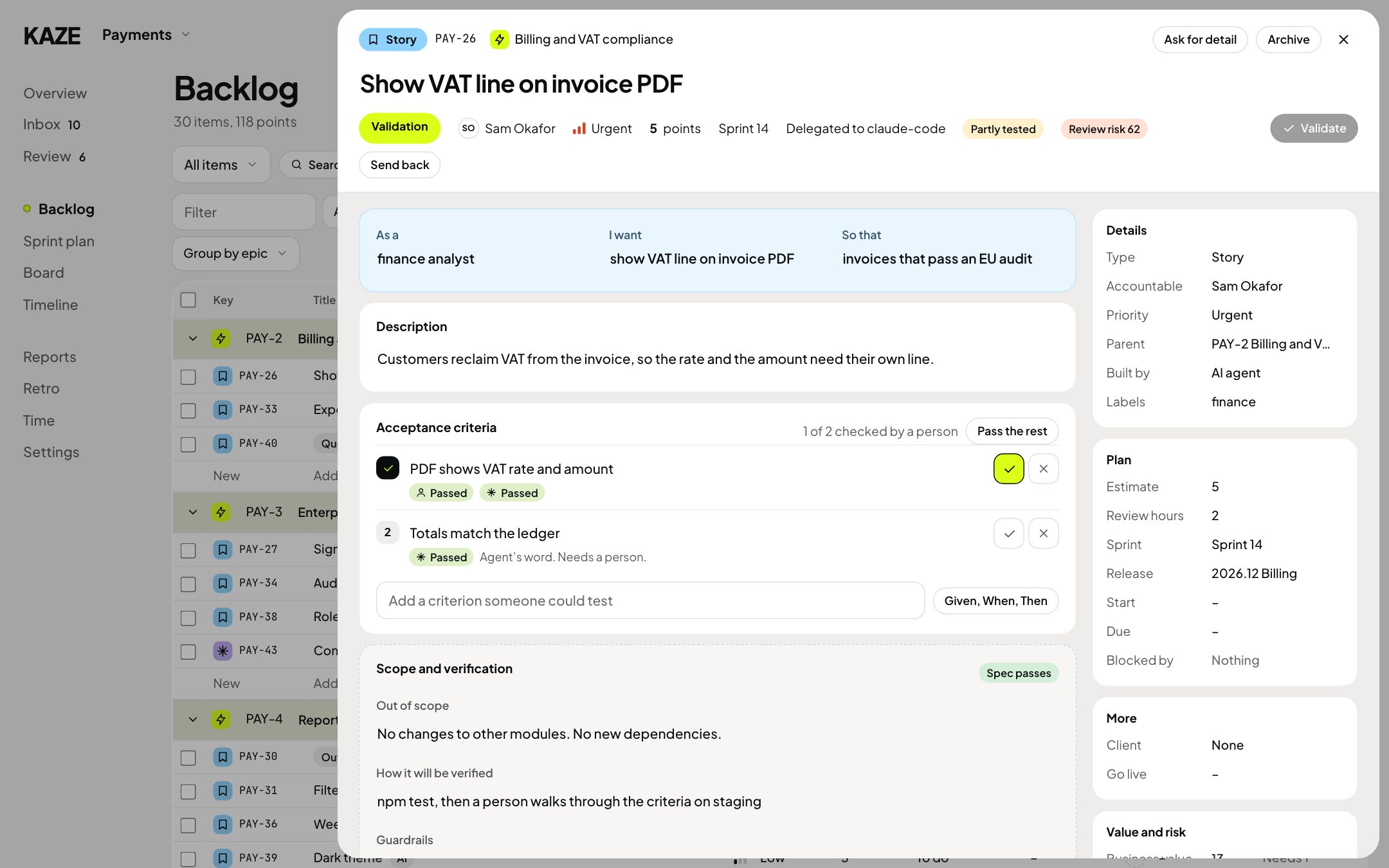
Work an agent cannot misread
Every item carries its acceptance criteria, what is out of scope and how it will be proved. Kaze checks the spec before an agent may start, and an agent that is unsure asks a person instead of guessing.
- A readiness check on every item
- Criteria written as Given, When, Then
- Questions pause the work until someone answers
Delegate
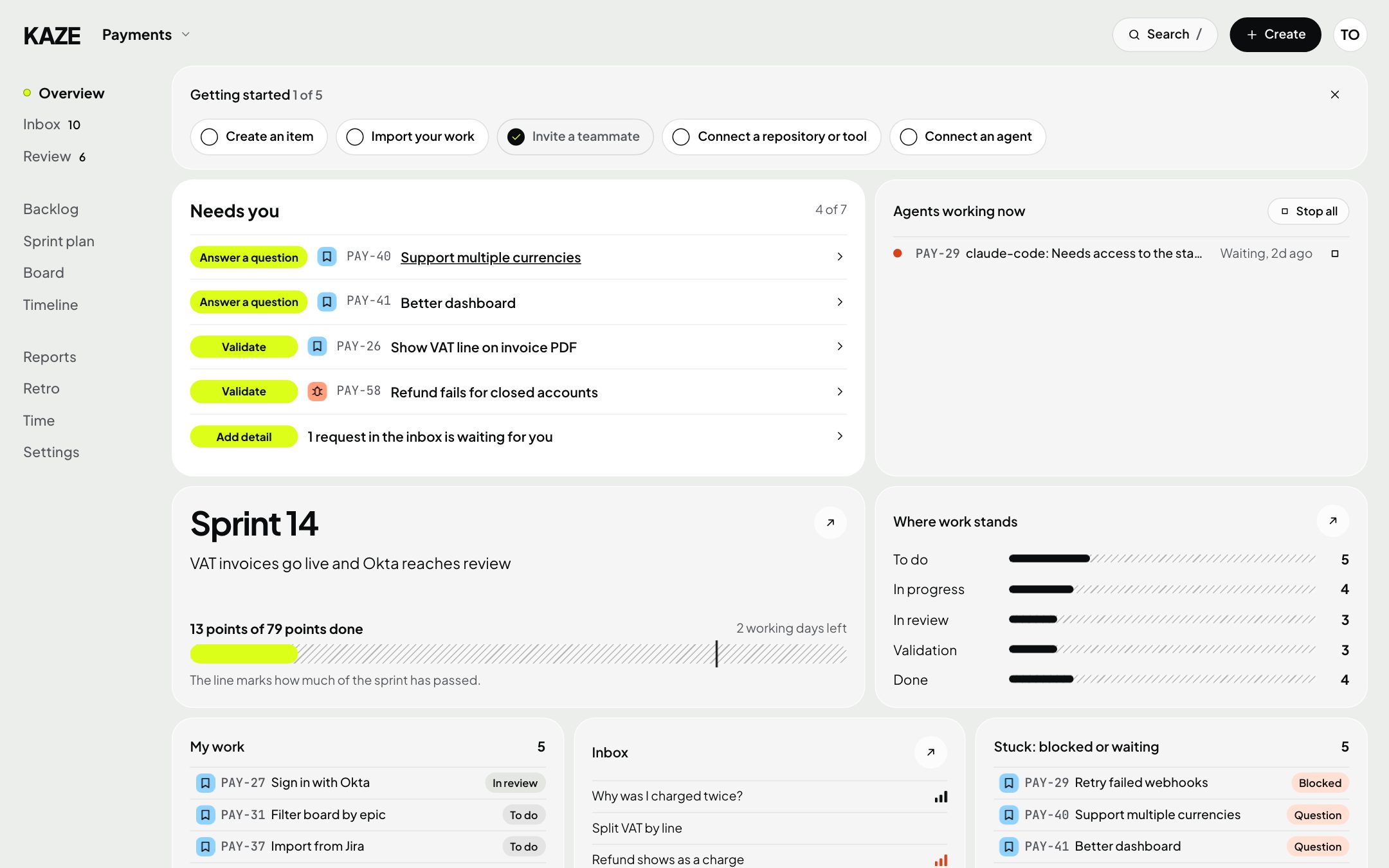
Any agent. Your tokens. Your rules.
Agents connect through MCP or a REST API, each with its own key, scope and a named person accountable for it. See what every agent reports, cap what it may spend, and stop one or all of them at once.
- Scoped keys with an owner and an expiry date
- Token budgets per item
- Stop all, recorded in the audit log
Review
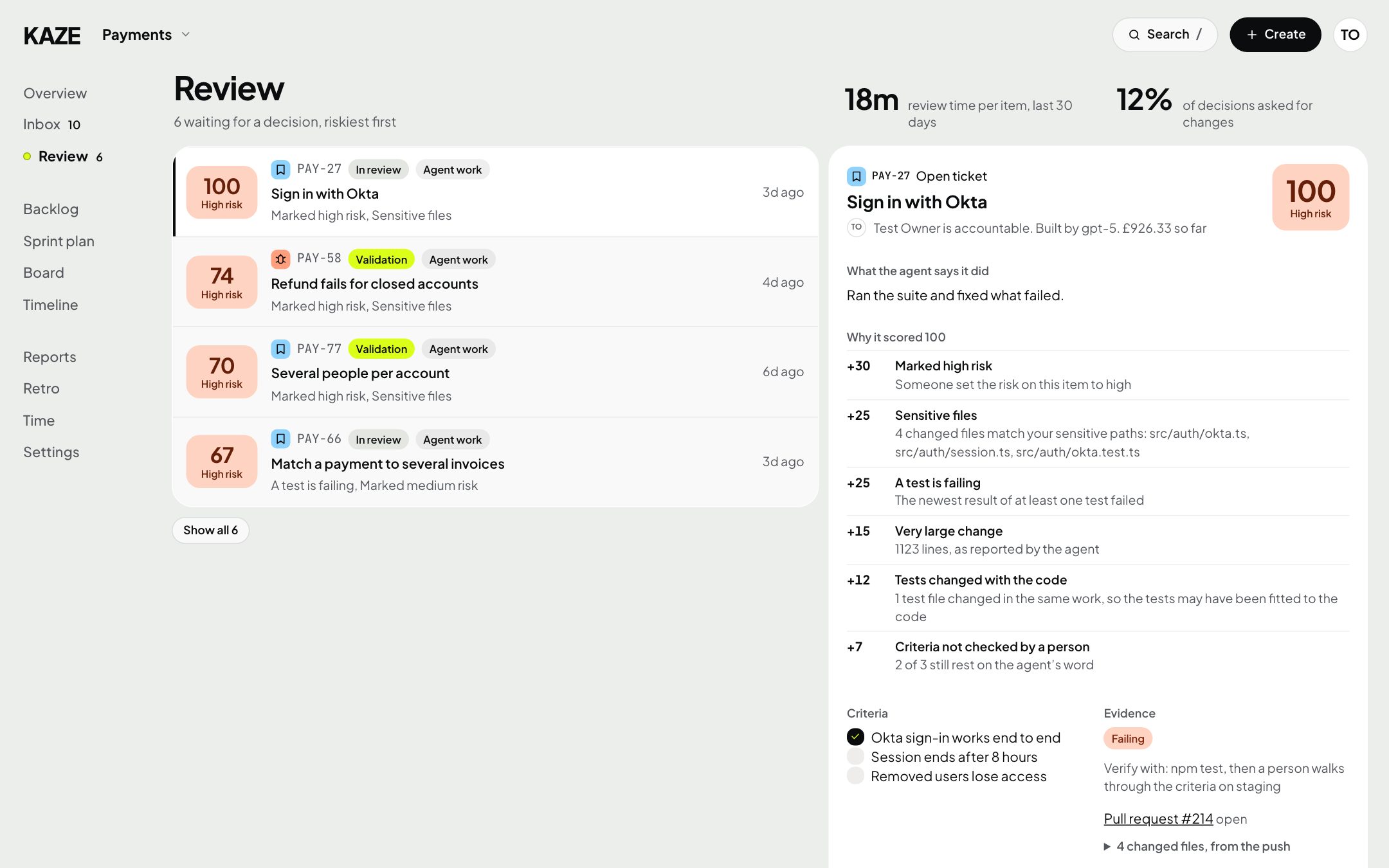
The riskiest work gets checked first
Each change is scored by rules you can read, not by a model’s opinion. High-risk agent work needs an approval before it can finish, and only a person can mark anything done.
- A risk score up to 100, with every reason shown
- High-risk changes held for approval by default
- Each acceptance criterion checked by a person
KazeQL
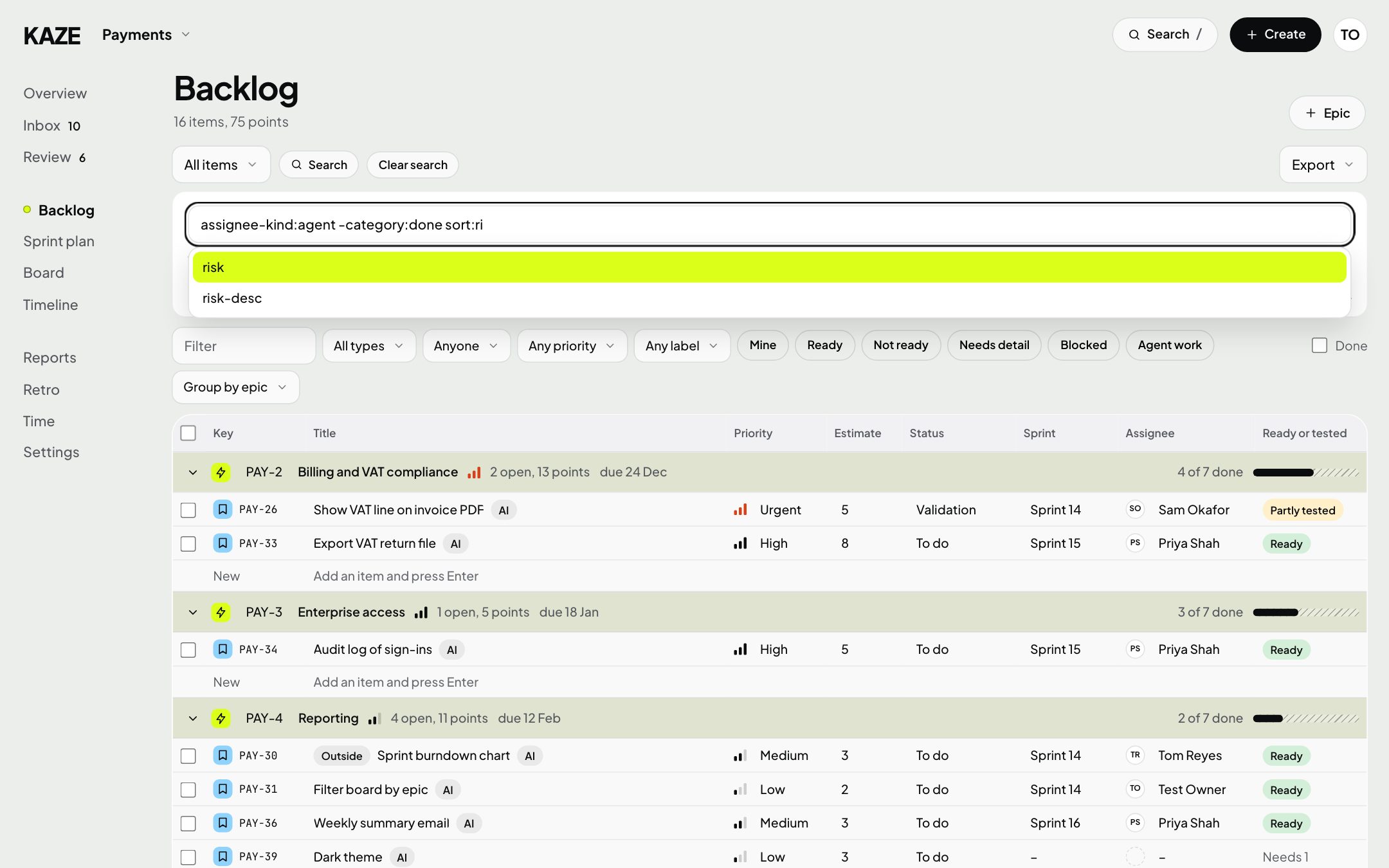
Ask your work anything
KazeQL is Kaze’s own query language. One line finds agent work waiting for review, what slipped since the last planning meeting, or what a release cost. The same query drives saved views, dashboards and exports, and agents use it to find their next task.
- Plain field:value searches, with suggestions as you type
- History built in: what changed, when and since which review
- Build it with clicks, or write it and share it
Measure
Know what agent work really costs
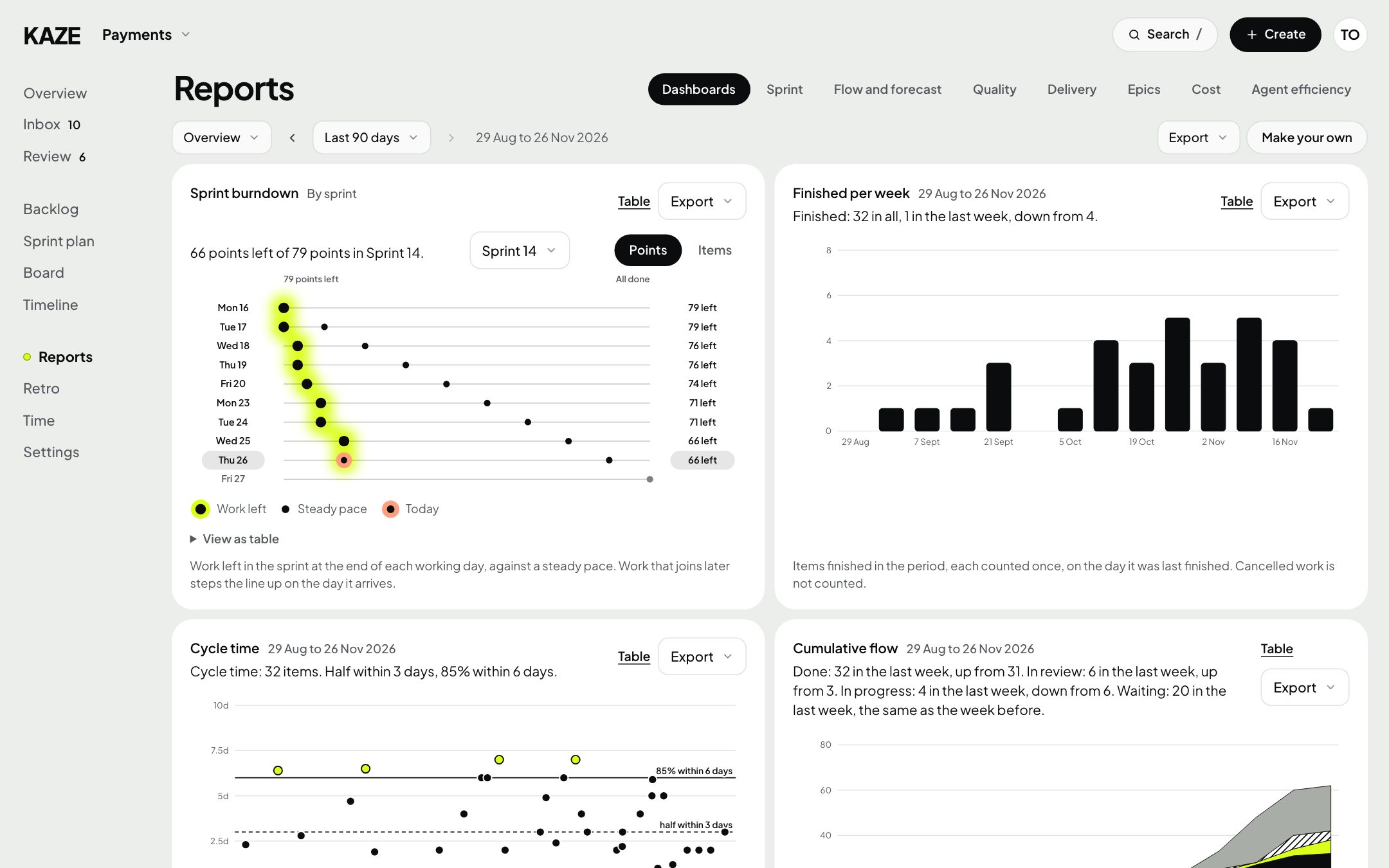
Cost per item, epic and model, kept separate from people’s time. Flow, quality and delivery for any sprint, month or quarter. Never a leaderboard of people.
- Agent cost from real usage or your own prices
- Rework and right-first-time, by how work was built
- The five DORA delivery measures
For delivery leads
Plans your stakeholders can trust
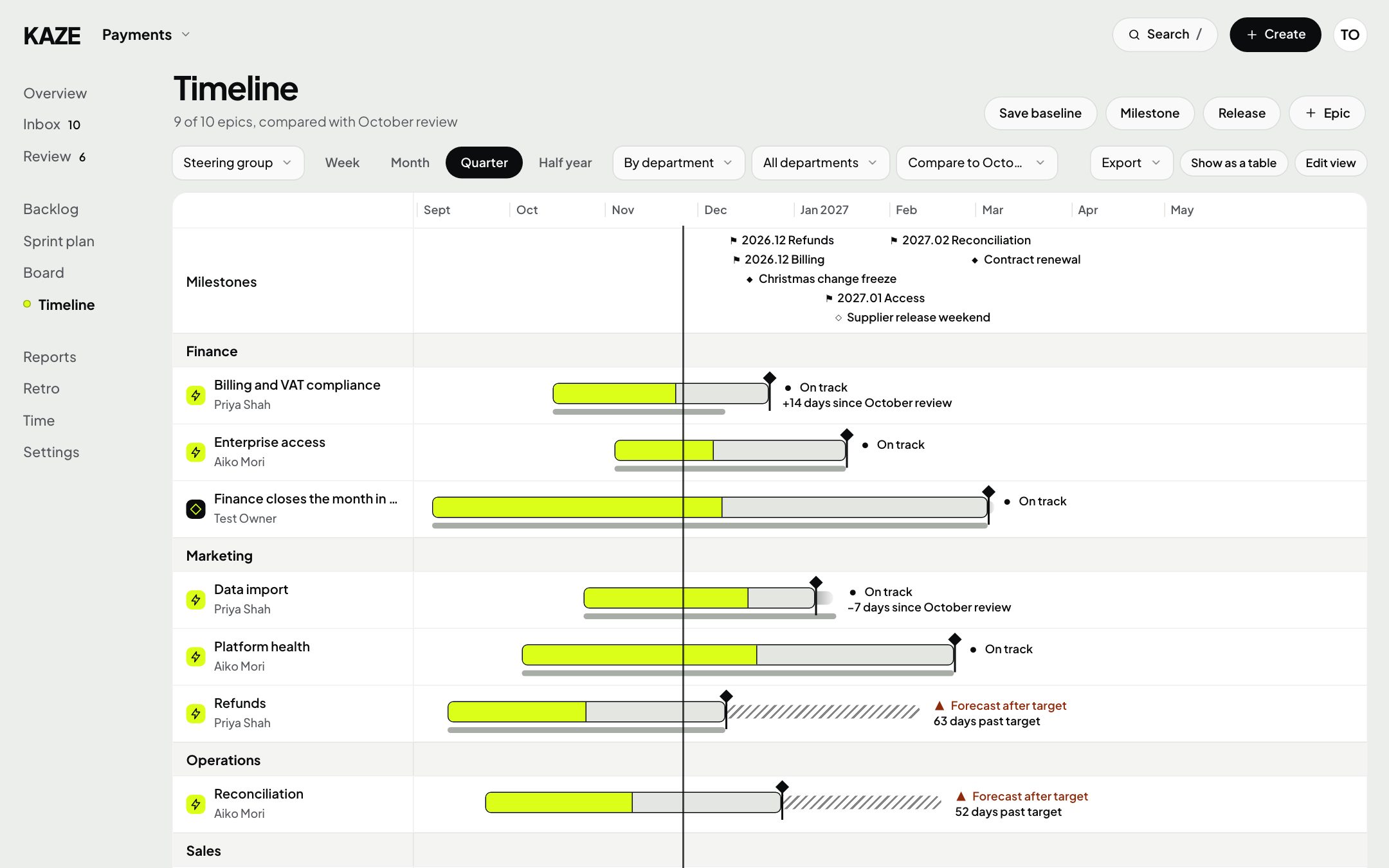
A timeline built from the work itself, with targets and forecasts side by side. Save a baseline before a review, and Kaze shows what moved, by how much and why. Send it as PowerPoint or PDF.
- Forecasts from the team’s real pace, shown as a range
- Every date change after a review needs a reason
- Share a view with people outside the team, read only
Switching
Moving from Jira or Azure DevOps
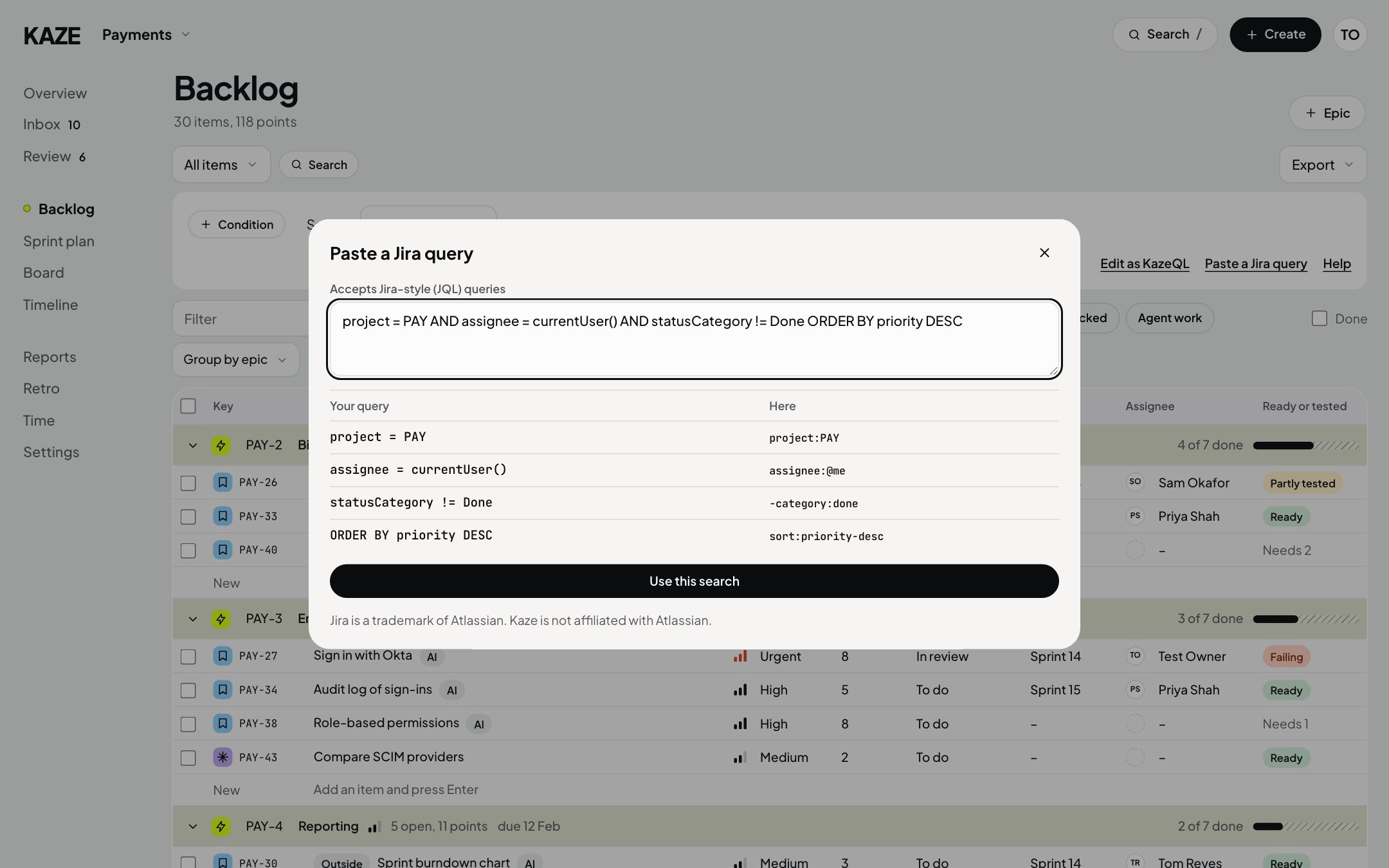
- Import a CSV export and see what will and will not carry over before anything is written
- Old issue keys still find the item, in search, branches and pull requests
- Bring saved searches with you: Kaze rewrites them in KazeQL and flags anything it cannot
- Undo an import for 14 days
- Export your whole workspace whenever you like
Jira is a trademark of Atlassian, and Azure DevOps of Microsoft. Kaze is not affiliated with either.
Security and control
Built for teams that answer to someone
Two-step sign-in
Authenticator codes and recovery codes, and an organisation can require them for everyone.
Roles and permissions
Built-in roles per team, plus custom roles. Pay rates and personal time stay with the people allowed to see them.
An audit log nobody can edit
Security events are sealed one to the next, so a change to any entry shows.
Isolation, tested
An automated test attacks every public function with another organisation’s data.
No AI calls on your content
Kaze sends nothing to a model. Your agents run on your own accounts.
Your data, yours to take
A full workspace export, and a way to bring it back in, on every plan.
What Kaze is, and is not
Kaze is
- A place to write work down precisely enough for an agent
- A way to hand that work to any agent you already use
- A review queue ranked by risk
- A record of who did what, how it was checked and what it cost
Kaze is not
- A coding agent, or a reseller of AI
- Somewhere to host your code
- A workflow engine to configure for months
- A tool that watches or ranks people